
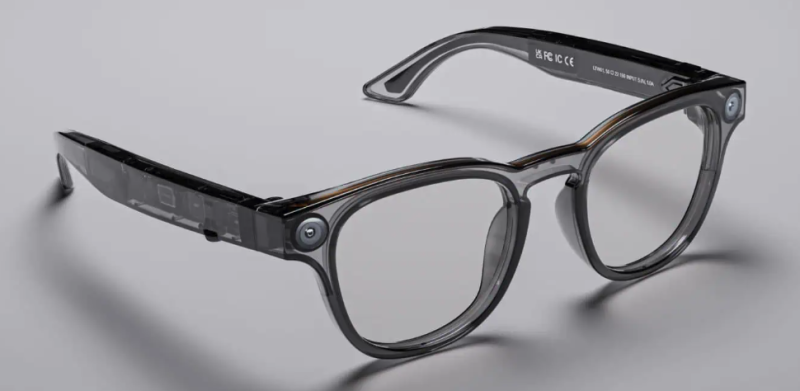
- AI glasses are smart eyewear that use cameras, microphones, sensors, and small displays plus an onboard AI assistant to overlay or speak information about the world around you in real time.What "AI glasses" usually do
Most current AI glasses focus on these core functions:
- Hands-free assistant (ask questions, set reminders, control smart home, etc.).
- Photos and video from a head-mounted camera, often with voice control ("take a photo").
- Real-time translation and live captions for conversations.
- Navigation prompts, notifications, and simple "heads-up" info in your field of view or via audio.
- Contextual help: identify objects, summarize what you're seeing, or pull info about a conversation topic.
Some have full micro-displays in the lenses (true AR), while others only use audio and a camera with no visual overlay.
Examples of current products
Product type Main examples Key characteristics Camera + audio AI glasses Ray-Ban Meta smart glasses, Oakley Meta variants Look like regular sunglasses, have cameras, speakers, mics, and Meta AI for Q&A, messaging, photos, and translation, but no always-visible display. Full display AI glasses Meta Ray-Ban Display, Even G1/G2, other AR "AI glasses" Monocular or binocular displays in the lenses; show text, teleprompter scripts, navigation, and translations directly in your view. Audio-only smart glasses with assistant Amazon Echo Frames 3rd gen No cameras or display; focus on open-ear audio, Alexa voice assistant, calls, and notifications in normal-looking frames. Table 1: Current AI glasses products and categories
How the AI part works
- Multimodal input: They combine voice, camera, sometimes gesture or eye tracking so the AI can understand both what you say and what you're looking at.
- On-device + cloud: Lightweight models on the glasses do wake-word detection and basic tasks; heavier language/vision models typically run in the cloud via your phone connection.
- Continuous context: Some models keep short-term context of your recent view or conversation to give better, more relevant answers or summaries.
Trade-offs and limitations
- Battery life: Most last only a few hours of active use before needing the case or charger.
- Heat and comfort: Squeezing processors, batteries, and antennas into frames adds weight and warmth; newer designs are getting slimmer but still thicker than normal glasses.
- Privacy concerns: Always-available cameras and mics raise obvious issues for bystanders; recording indicators can be small and easy to miss.
- Visual quality: Display-equipped glasses often have narrow fields of view and relatively low resolution compared with phones or dedicated headsets.
Where this is heading
- More "normal-looking" frames with better audio and lighter hardware (e.g., recent Echo Frames and Ray-Ban Meta generations).
- Richer in-lens displays with higher brightness and wider field of view for navigation, translation, and work use.
- Deeper integration with personal AI agents that remember context over time and behave more like an always-available digital coworker or guide.
If you tell me how you'd actually want to use them (work, inspections, travel, filming, etc.), I can narrow this down to a couple of concrete models that fit your use case.